

How to prevent jams in a business laminator machine?
Oct 02, 2025
Leave a message
Laminating machines are indispensable tools in many businesses, offering protection and a professional finish to important documents, photos, and promotional materials. However, jams can be a common and frustrating issue that disrupts workflow and may damage both the machine and the materials being laminated. As a business laminator machine supplier, I understand the challenges that users face when dealing with jams. In this blog, I'll share some effective strategies to prevent jams in a business laminator machine.
1. Choose the Right Materials
One of the primary causes of jams in laminator machines is using incompatible or low - quality materials. When selecting laminating pouches or rolls, ensure they are specifically designed for your machine model. Different laminators have different requirements in terms of pouch thickness, width, and material composition.
For example, if your laminator is a Automatic Thermal Laminating Machine, it is crucial to use laminating materials that can withstand the heat and pressure generated by the machine. Using thin or sub - standard pouches may cause them to tear or wrinkle inside the machine, leading to jams.
Similarly, when laminating documents, make sure they are clean, dry, and free of any staples, paper clips, or other foreign objects. These items can get caught in the laminator's rollers, causing a blockage. It's also a good idea to avoid laminating very thick or irregularly shaped documents, as they may not feed through the machine smoothly.
2. Proper Machine Setup and Maintenance
Proper setup and regular maintenance of your laminator machine are essential for preventing jams. Before using the machine, carefully read the user manual and follow the manufacturer's instructions for installation and operation.
Ensure that the machine is placed on a flat, stable surface. An uneven surface can cause the laminating materials to feed unevenly, increasing the risk of jams. Also, make sure the machine is properly plugged in and that the power switch is in the correct position.
Regular cleaning of the laminator is crucial. Over time, dust, debris, and adhesive residue can accumulate on the rollers and other internal components, causing materials to stick and leading to jams. Use a soft, dry cloth to wipe the exterior of the machine regularly. For the internal components, follow the manufacturer's guidelines for cleaning. Some machines may require the use of specialized cleaning sheets or solutions.
In addition to cleaning, lubrication of the moving parts (if required by the machine) can help ensure smooth operation. Check the user manual to see if your laminator needs lubrication and what type of lubricant to use.
3. Correct Feeding Techniques
The way you feed materials into the laminator can significantly impact the likelihood of jams. Always align the document or item to be laminated with the center of the laminating pouch or roll. Misaligned materials are more likely to get caught in the edges of the rollers and cause a blockage.
When inserting the materials, do it slowly and steadily. Avoid forcing the materials into the machine, as this can cause them to bunch up or tear. If you are laminating multiple items in a row, make sure there is enough space between each item to allow for proper feeding.
For Flatbed Paper Laminator, ensure that the paper is laid flat on the bed and that there are no wrinkles or folds. Use the guides on the machine to keep the paper in place and feed it through the machine at a consistent speed.
4. Temperature and Speed Settings
Most laminator machines allow you to adjust the temperature and speed settings according to the type of materials you are laminating. Using the wrong settings can lead to jams.
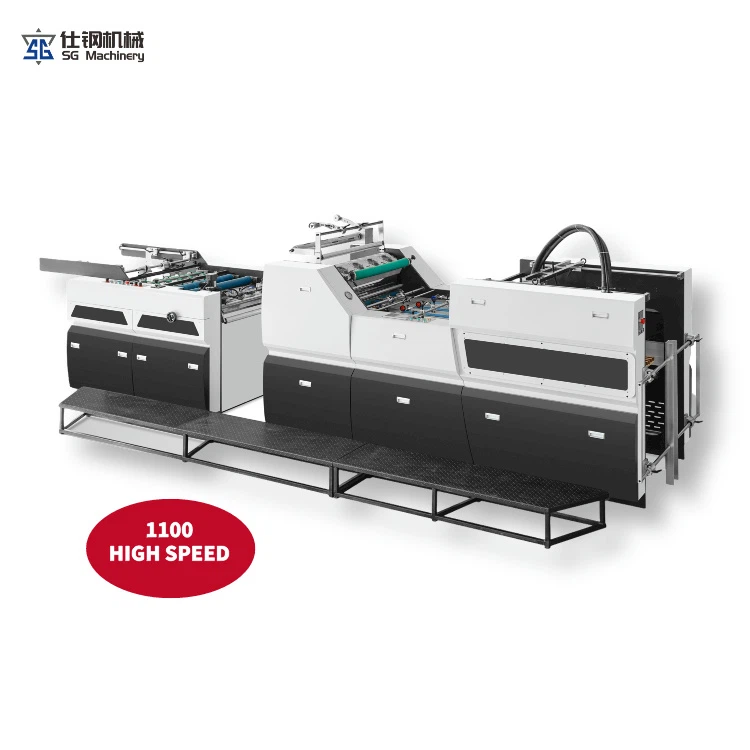

If the temperature is set too low, the adhesive in the laminating material may not melt properly, causing the pouch to stick to the rollers or the document. On the other hand, if the temperature is set too high, the material may overheat, become brittle, and tear. Refer to the user manual to determine the appropriate temperature for the type of laminating material you are using.
The speed setting also plays a role. A speed that is too fast may not allow the adhesive to bond properly, while a speed that is too slow can cause the material to overheat. Experiment with different speed settings to find the optimal one for your materials and machine.
5. Regular Inspections
Conduct regular inspections of your laminator machine to identify any potential issues before they lead to jams. Check the rollers for signs of wear or damage, such as cracks or uneven surfaces. Damaged rollers can cause materials to feed unevenly and increase the risk of jams.
Inspect the internal mechanisms of the machine for any loose parts or debris. If you notice any unusual noises or vibrations during operation, it may indicate a problem with the machine. In such cases, it's best to stop using the machine immediately and contact a professional technician for repairs.
6. Staff Training
If your business has multiple employees using the laminator machine, proper training is essential. Make sure all users are familiar with the machine's operation, including how to load materials correctly, adjust settings, and perform basic maintenance tasks.
Provide clear instructions on what to do in case of a jam. Instruct employees not to try to force the jammed material out of the machine, as this can cause further damage. Instead, they should follow the manufacturer's guidelines for clearing jams safely.
Conclusion
Preventing jams in a business laminator machine requires a combination of proper material selection, machine setup and maintenance, correct feeding techniques, appropriate temperature and speed settings, regular inspections, and staff training. By following these strategies, you can minimize the risk of jams, improve the efficiency of your laminating process, and extend the lifespan of your machine.
As a business laminator machine supplier, I am committed to providing high - quality laminator machines and offering comprehensive support to our customers. If you are experiencing issues with your laminator or are looking to purchase a new one, such as a Wide Laminator, feel free to contact us for more information and to discuss your specific needs. Our team of experts is ready to assist you in finding the perfect solution for your business.
References
- Manufacturer's user manuals for laminator machines
- Industry best practices for laminator machine operation and maintenance