

How do I troubleshoot if the laminating film jams in a thermal roll laminator?
Dec 10, 2025
Leave a message
Troubleshooting a Jammed Laminating Film in a Thermal Roll Laminator
As a supplier of thermal roll laminators, I understand the frustration that comes with a laminating film jam. It can disrupt your workflow, waste materials, and cause unnecessary delays. In this blog post, I'll share some practical steps to troubleshoot and resolve this common issue, ensuring that your laminating machine runs smoothly and efficiently.
Understanding the Basics of Thermal Roll Laminators
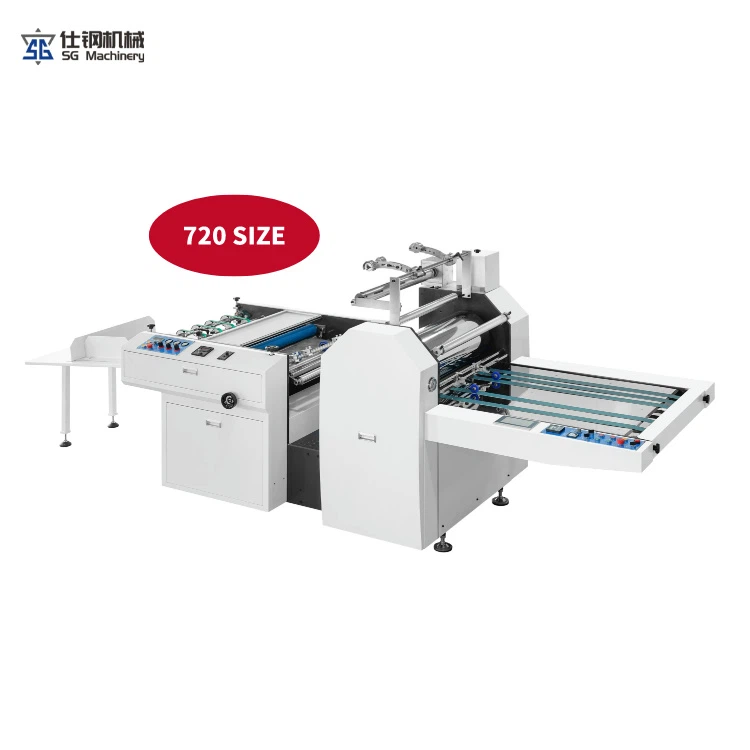
Before we dive into troubleshooting, let's briefly review how thermal roll laminators work. These machines use heat and pressure to bond a laminating film to a substrate, such as paper or cardstock. The film is typically wound on a roll and fed through the laminator along with the material to be laminated. As the film and substrate pass through the heated rollers, the adhesive on the film melts, creating a strong bond.
Common Causes of Laminating Film Jams
There are several factors that can cause a laminating film to jam in a thermal roll laminator. Understanding these causes is the first step in troubleshooting the problem. Here are some of the most common culprits:
- Incorrect Film Installation: If the laminating film is not properly loaded onto the machine, it can cause it to jam. Make sure the film is aligned correctly and that the tension is set properly.
- Dirty or Worn Rollers: Over time, the rollers in the laminator can accumulate dirt, dust, and debris, which can cause the film to stick and jam. Regular cleaning and maintenance of the rollers can help prevent this problem.
- Incompatible Film or Substrate: Using a laminating film that is not compatible with the substrate or the laminator can also cause jams. Make sure you are using the correct type of film for your application.
- Overheating: If the laminator is running too hot, it can cause the film to melt and stick to the rollers, resulting in a jam. Check the temperature settings on the machine and make sure they are within the recommended range.
- Mechanical Issues: Sometimes, a jam can be caused by a mechanical problem with the laminator, such as a misaligned roller or a faulty drive belt. If you suspect a mechanical issue, it's best to contact a professional technician for assistance.
Troubleshooting Steps
Now that we've identified some of the common causes of laminating film jams, let's take a look at the steps you can take to troubleshoot and resolve the problem.
Step 1: Turn Off the Machine
The first thing you should do when you encounter a jam is to turn off the laminator and unplug it from the power source. This will prevent any further damage to the machine and ensure your safety.

Step 2: Allow the Machine to Cool Down
If the laminator has been running for a while, it may be hot. Allow the machine to cool down for at least 15-20 minutes before attempting to remove the jammed film. This will prevent the film from melting and sticking to the rollers.
Step 3: Inspect the Rollers
Once the machine has cooled down, open the laminator and inspect the rollers for any signs of dirt, debris, or damage. If you notice any buildup on the rollers, use a clean, dry cloth to gently wipe them clean. Be careful not to scratch the rollers.
Step 4: Remove the Jammed Film
If the film is stuck between the rollers, you can try to gently pull it out using a pair of tweezers or a similar tool. Be careful not to pull too hard, as this can damage the rollers or the film. If the film is too tightly stuck, you may need to use a small amount of lubricant, such as WD-40, to help loosen it.
Step 5: Check the Film Installation
After removing the jammed film, check the film installation to make sure it is properly loaded onto the machine. Make sure the film is aligned correctly and that the tension is set properly. If necessary, rewind the film and reload it onto the machine.
Step 6: Check the Temperature Settings
If the jam was caused by overheating, check the temperature settings on the laminator and make sure they are within the recommended range. If the temperature is too high, lower it and allow the machine to cool down before attempting to laminate again.
Step 7: Test the Machine
Once you have completed the troubleshooting steps, plug the laminator back in and turn it on. Allow the machine to warm up for a few minutes, and then test it by laminating a small piece of paper or cardstock. If the machine runs smoothly and the film does not jam, you have successfully resolved the problem.
Preventing Future Jams
To prevent future laminating film jams, it's important to follow these best practices:
- Use High-Quality Film: Using a high-quality laminating film that is compatible with your laminator and substrate can help prevent jams. Make sure you are using the correct type of film for your application.
- Clean the Rollers Regularly: Regularly cleaning the rollers in your laminator can help prevent dirt, dust, and debris from accumulating and causing jams. Use a clean, dry cloth to wipe the rollers clean after each use.
- Follow the Manufacturer's Instructions: Make sure you are following the manufacturer's instructions for operating and maintaining your laminator. This includes using the correct temperature settings, loading the film correctly, and performing regular maintenance.
- Avoid Overloading the Machine: Do not try to laminate more than the recommended amount of material at once. Overloading the machine can cause the film to jam and may also damage the laminator.
Conclusion
A laminating film jam can be a frustrating problem, but with the right troubleshooting steps and preventive measures, you can keep your thermal roll laminator running smoothly and efficiently. If you have any further questions or need assistance with troubleshooting, please don't hesitate to contact us. We are a leading supplier of Flatbed Paper Laminator, Label Laminator, A3 Paper Laminating Machine and other laminating equipment, and we are here to help you find the best solution for your needs. Whether you are a small business owner, a graphic designer, or a professional printer, we have the expertise and products to meet your laminating requirements. Contact us today to learn more about our products and services and to discuss your specific needs. We look forward to working with you!
References
- Manufacturer's manuals for thermal roll laminators.
- Industry best practices for laminating equipment maintenance.