

What if the paper jams in a semi - auto paper laminator?
May 14, 2025
Leave a message
What if the paper jams in a semi - auto paper laminator? This is a common issue that many users of semi - auto paper laminators may encounter. As a supplier of semi - auto paper laminators, I understand the frustration and potential disruptions that a paper jam can cause. In this blog, I'll delve into the possible reasons for paper jams, how to troubleshoot them, and preventive measures to avoid future jams.
Possible Reasons for Paper Jams
Incorrect Paper Loading
One of the most frequent causes of paper jams is incorrect paper loading. When the paper is not properly aligned in the feeder tray, it can enter the laminator at an angle. This misalignment causes the paper to get stuck between the rollers. For example, if the paper is skewed to one side, it may not feed smoothly through the laminating process. The rollers may grip the paper unevenly, leading to a jam.
Low - Quality or Incompatible Paper
The quality and compatibility of the paper also play a crucial role. Using low - quality paper that is too thin, too thick, or has rough edges can increase the risk of jams. Thin paper may tear easily inside the laminator, while thick paper may be too rigid for the rollers to handle. Additionally, some types of paper, such as recycled paper with a high fiber content, may not be suitable for laminating. These papers can leave debris inside the machine, which can cause subsequent jams.
Roller Issues
Over time, the rollers in a semi - auto paper laminator can accumulate dirt, dust, or adhesive residue from the laminating process. This build - up can cause the rollers to lose their grip or rotate unevenly. When the rollers do not function properly, the paper may not move through the machine smoothly, resulting in a jam. Moreover, if the rollers are worn out or damaged, they may not be able to pull the paper through effectively.
Overloading the Machine
Trying to laminate too many sheets at once is another common mistake. Semi - auto paper laminators have a specified maximum capacity for the number of sheets they can handle at a time. Exceeding this capacity can put excessive stress on the rollers and the feeding mechanism, leading to paper jams.
Troubleshooting Paper Jams
Power Off the Machine
The first step when dealing with a paper jam is to turn off the laminator and unplug it from the power source. This ensures your safety while you are trying to remove the jammed paper. You don't want the rollers to suddenly start moving while your hands are inside the machine.
Locate the Jam
Open the laminator's access panels carefully. Most semi - auto paper laminators have panels that can be easily removed to provide access to the internal components. Try to locate where the paper is stuck. It could be near the entrance of the machine, between the rollers, or at the exit.
Remove the Jammed Paper
Use a pair of tweezers or a flat - tipped object like a credit card to gently remove the jammed paper. Be careful not to tear the paper further, as small pieces left inside the machine can cause additional jams. If the paper is stuck between the rollers, try to turn the rollers manually in the direction of paper flow to release the paper. However, make sure the machine is still unplugged when doing this.
Clean the Rollers
After removing the jammed paper, it's a good idea to clean the rollers. You can use a soft, lint - free cloth slightly dampened with rubbing alcohol to wipe the rollers. This helps to remove any dirt, dust, or adhesive residue that may have contributed to the jam. Make sure the rollers are completely dry before you plug the machine back in and turn it on.

Preventive Measures
Proper Paper Loading
Always make sure the paper is loaded correctly in the feeder tray. Align the edges of the paper neatly and ensure that it is not skewed. If your laminator has adjustable guides in the feeder tray, adjust them to fit the size of the paper you are using. This helps to keep the paper straight as it enters the machine.

Use High - Quality and Compatible Paper
Invest in high - quality paper that is specifically recommended for laminating. Check the manufacturer's guidelines for the suitable paper thickness and type. Avoid using recycled paper or paper with rough edges. Thermal Laminator Sheets are often a good choice as they are designed to work well with laminators.
Regular Maintenance
Perform regular maintenance on your semi - auto paper laminator. This includes cleaning the rollers at least once a month, even if there are no paper jams. You can also check the machine for any loose parts or signs of wear and tear. If you notice any issues, contact a professional technician for repair.
Do Not Overload the Machine
Respect the maximum capacity of your laminator. Do not try to laminate more sheets than the machine is designed to handle at once. If you need to laminate a large number of sheets, do it in batches.
The Importance of a Reliable Laminator
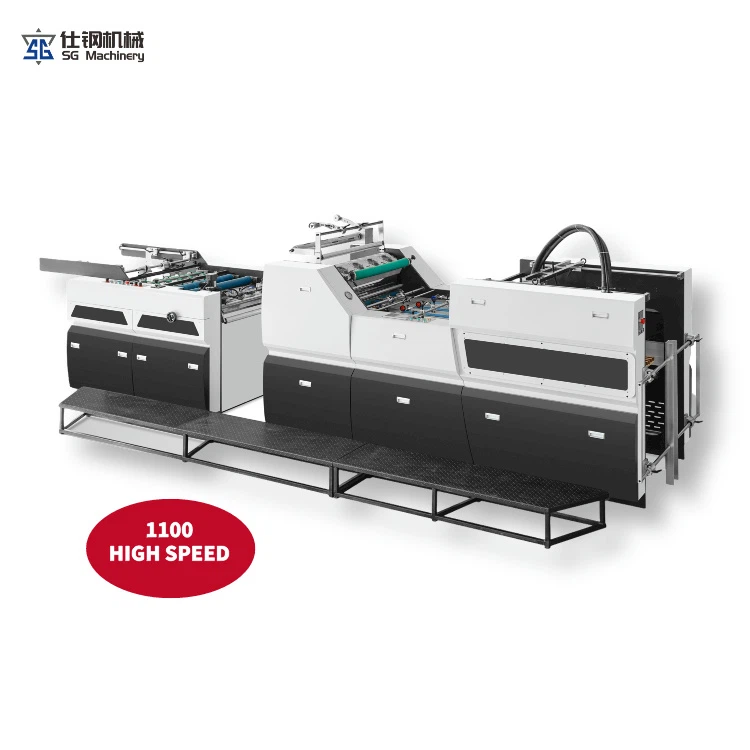
As a supplier of semi - auto paper laminators, I know that a reliable laminator is essential for a smooth workflow. Our laminators are designed with high - quality components to minimize the risk of paper jams. We offer a range of models, including Wide Laminator and Automatic Hot Lamination Machine, to meet different user needs.
If you are experiencing frequent paper jams with your current laminator or are looking to purchase a new one, we are here to help. Our team of experts can provide you with detailed information about our products, including their features, performance, and maintenance requirements. We can also offer guidance on choosing the right laminator for your specific application.
Contact Us for Procurement
If you are interested in our semi - auto paper laminators or have any questions about paper jams or laminating in general, we encourage you to contact us for procurement and further discussions. Our dedicated sales team is ready to assist you in finding the perfect laminating solution for your business.
References
- Laminating Machine Operation Manuals.
- Industry reports on laminating machine performance and maintenance.